
 madc0der
31d2af712e
madc0der
31d2af712e
|
4 years ago | |
|---|---|---|
| ERVertexPath | 4 years ago | |
| docs | 6 years ago | |
| README.md | 6 years ago | |
README.md
EasyRoadsVertexPath
Here are scripts to build vertex paths for EasyRoads3d spline road paths, including sample scripts to implement path following.
EasyRoads3D: https://assetstore.unity.com/packages/tools/terrain/easyroads3d-pro-v3-469
Inspired by API of Bezier Path Creator: https://assetstore.unity.com/packages/tools/utilities/b-zier-path-creator-136082
How to use
- Add
ERNetworkVertexPathCreatorto ER Road Network It will add (if not exists)ERNetworkVertexPathCreatorandERPathAdapterto anyERModularRoadfrom children.ERNetworkVertexPathCreatorwill create vertex path based on ER spline path with givenangleThresholdandscanStepERPathAdapterwill provide API to align objects along the path and calculate nearest position and distance. - Add
ERPathCamera(sample script) to anyCamerato follow given road path (linkmodularRoadto anyERModularRoad)
Input:- ERModularRoad - road to follow (will search for ERPathAdapter component and use it)
- SpeedMs - velocity in meters per second
- Add DummyHelperPathController (another sample script) to any object to move it along the path
Input:
ERModularRoad- road object to followspeedMs- move velocity in m/spositionByClosestPoint- position object by closest point or by closest distancealignToPath- enable/disable path following (useful to check path alignment for objects out of path in different configs)
Description of sample scene
Lets review sample config - it will contain single ER Road Network with Road, Camera to move along the Road and two GameObjects which will also move along road path.
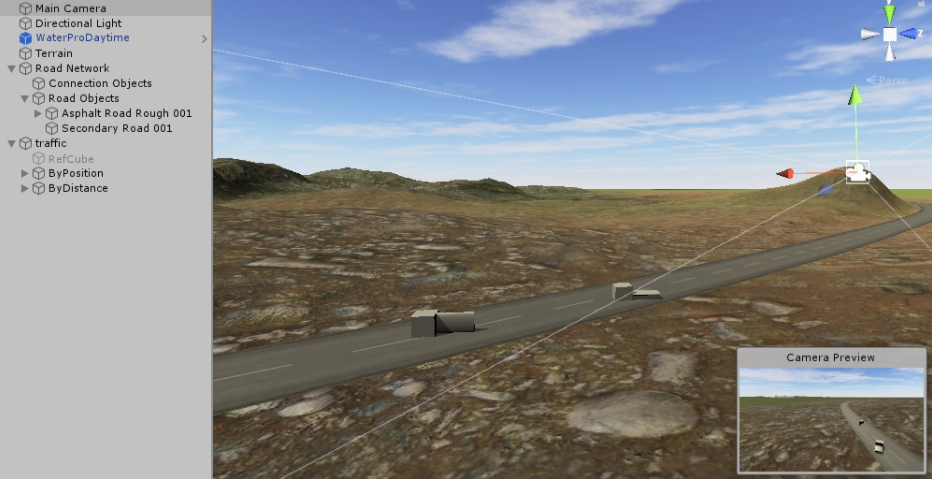
Required config steps are described by following screenshots
-
Add
ERNetworkVertexPathCreatorto Road Network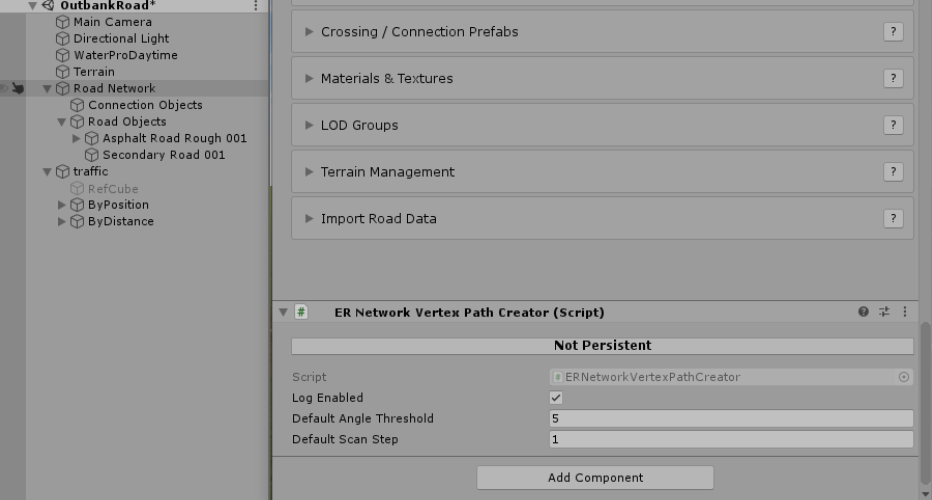
-
Add
ERPathCameratoCameraand link it toERModularRoad
-
Configure
ByPositionpath follower
-
Configure
ByDistancepath follower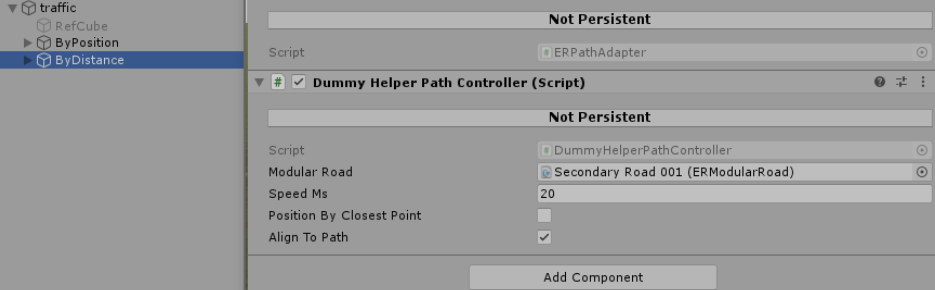
Vertex paths gizmos are shown in Play mode:
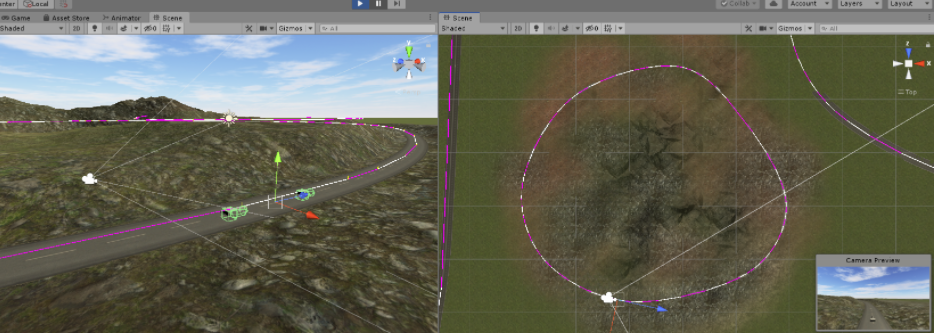
Scripts
ERNetworkVertexPathCreator- scan Road Network for roads, attachERPathToVertexPathWrapperandERPathAdapterto each road (if not exists)ERPathToVertexPathWrapper- builds vertex path from ER spline path for given road (by default withangleThresholdandscanStepset for ERNetworkVertexPathCreator). IfangleThresholdorscanStepmust be customized,ERNetworkVertexPathCreatorcan be manually attached to the roadERPathAdapter- provide API to follow vertex path
API methods of ERPathAdapter
Vector3 GetPointAtDistance(float distance)Quaternion GetRotationAtDistance(float distance)Vector3 GetDirectionAtDistance(float distance)float GetClosestDistanceAlongPath(Vector3 p)Vector3 GetClosestPointOnPath(Vector3 p, out float closestDistance)Vector3 GetClosestPointOnPath(Vector3 p)
Notes:
- I'm not using crossings, therefore linked roads are not supported
- All methods distance-related methods are map distance to current road bounds (from zero to total path distance) so you can use negative distance or distance much more than total road length